Individual Case Study · 2022
Optimizing Instagram Feeds
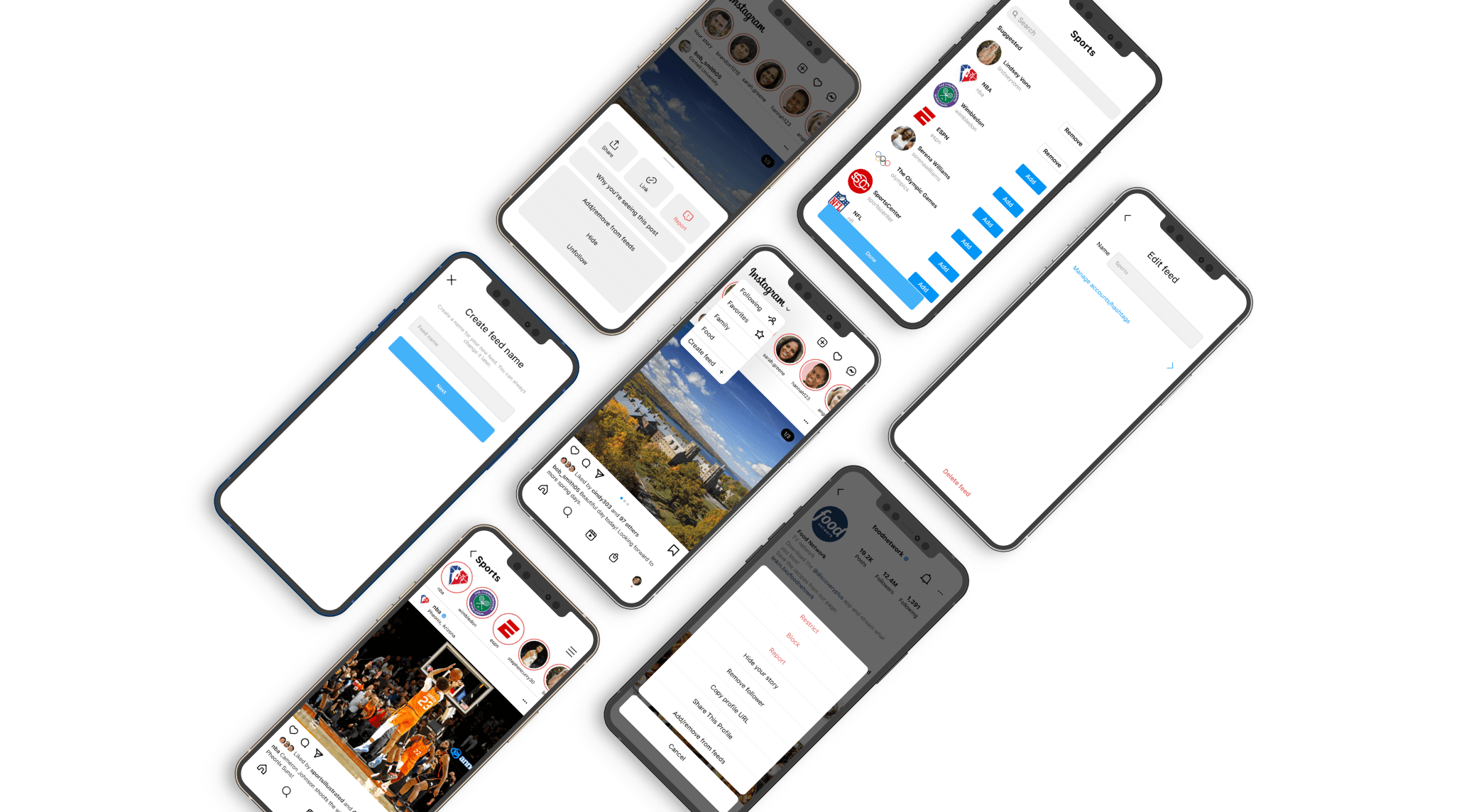
One feed couldn't support every way people use Instagram. I designed customizable feed experiences that adapt to different user goals without changing the core product.
The challenge
Instagram allows users to easily share content, connect with others, and explore their interests. But as a busy college student scrolling through my feed to unwind, I felt flooded by an unorganized sea of posts. I came to this hypothesis:
"Instagram helps people feel connected to their friends, family, and interests, but many users feel like their feed is unorganized and overwhelming."
Do other users feel the same way?
User interviews with three distinct personas
The Regular
Uses the app to engage with others and interests
The Content Creator
Uses the app for business purposes
The Non-Regular
Does not use the app frequently
A shift in the hypothesis
"Instagram helps people feel connected to their friends, family, and interests, but many users feel like they're wasting time on unfulfilling content because their feed feels random or monotonous."
Three solution spaces
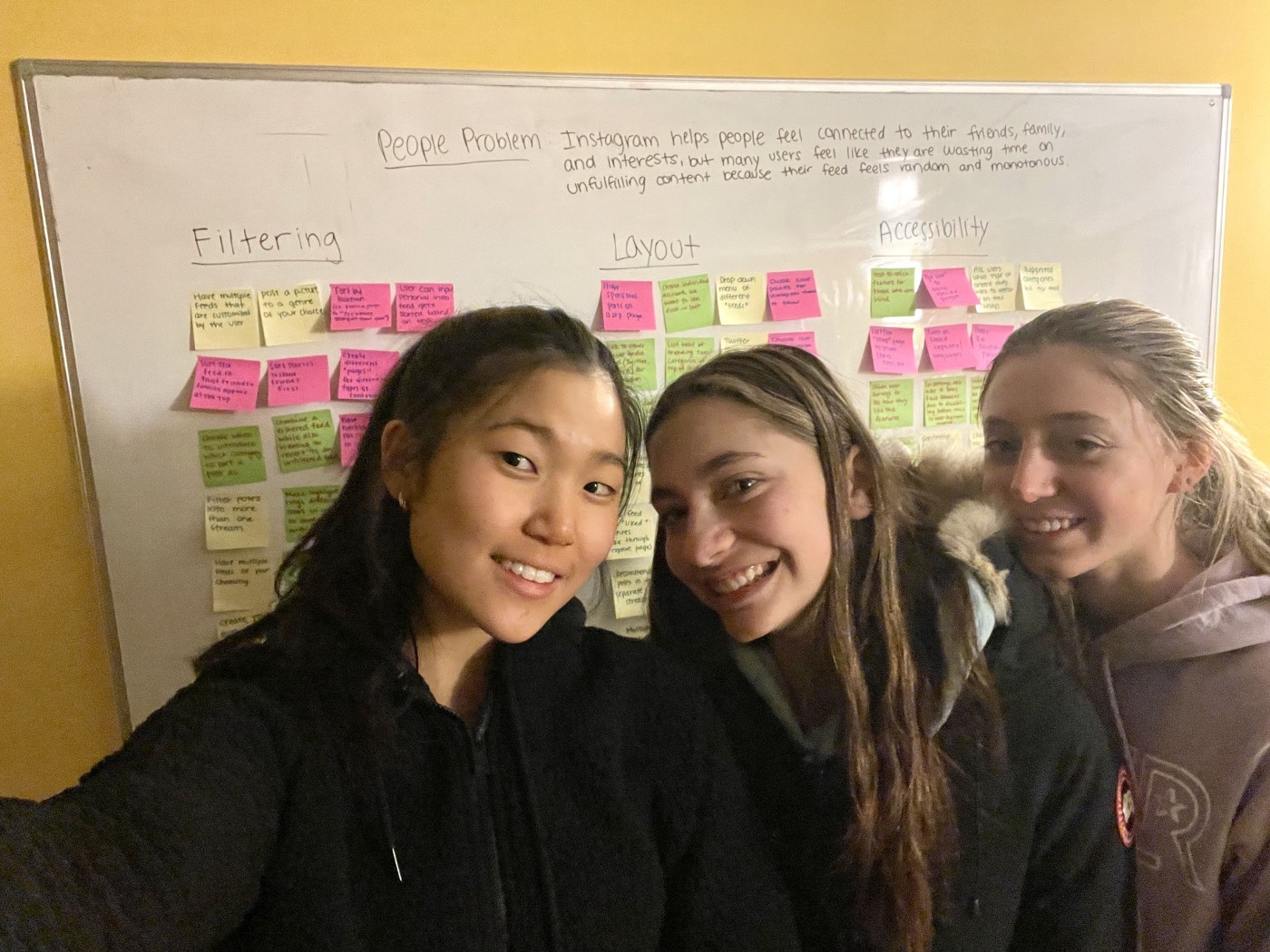
I texted two friends to join me for a collaborative brainstorming session: Camryn Scott, a business major, and Sammy Relles, an artist. With a whiteboard, three packs of Post-Its, and three sharpies, we came up with three solution spaces.
Posting to a Genre
Before posting, users could add their post to genres of their choice. Other users could view these posts under their respective category.
❌ Too similar to Instagram hashtags
❌ Gives control to the user who is posting rather than the user who is viewing
Customized Feeds
SELECTEDUsers could create their own categorized feeds with accounts of their choice. A menu of feeds would consist of the default feed and the user's customized feeds.
✅ Gives full control to viewer over what content they want to see
✅ Most feasible and effective
"Close Friends" for Posts
Users could have a feed with just posts from users on their "Close Friends" list. They could switch between their default feed and their "Close Friends" feed.
❌ Doesn't fully get rid of "random content"
❌ Only filters out one category of accounts
Inspiration
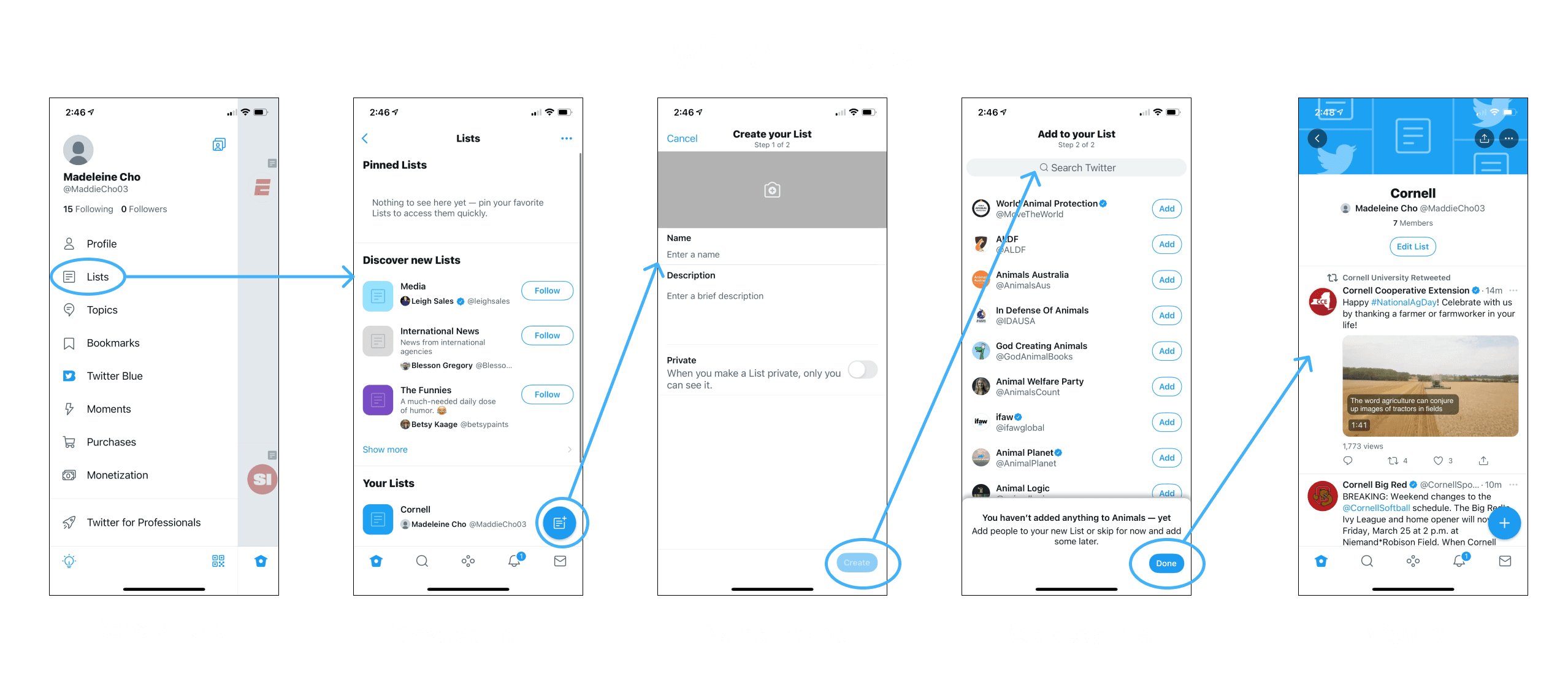
To gain inspiration, I looked to Twitter's "Lists" feature which tackles the same problem. This feature allows users to filter their feed into customized groups of accounts.
UI explorations
Three explorations for how the customized feeds feature could fit into Instagram's existing design system.
Pop-up Menu
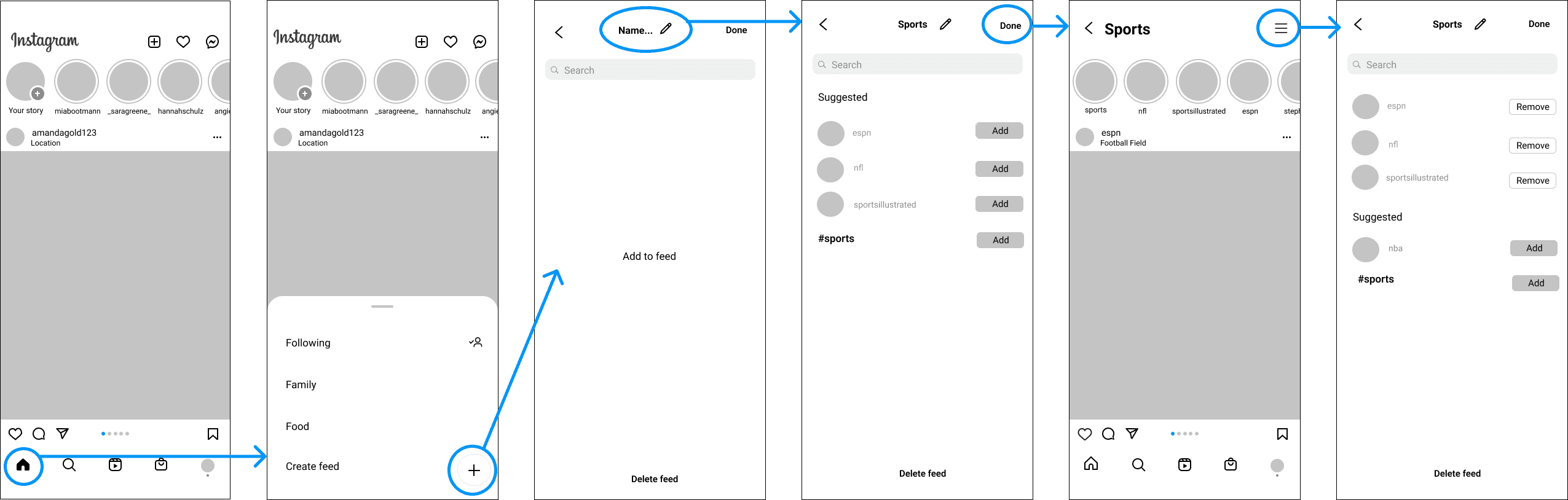
✅ Similar to current IG features (switching between accounts)
✅ Easy to access, not too many new screens
❌ "Delete feed" is too prominent
❌ Pencil icon to name feed is awkward
New Button
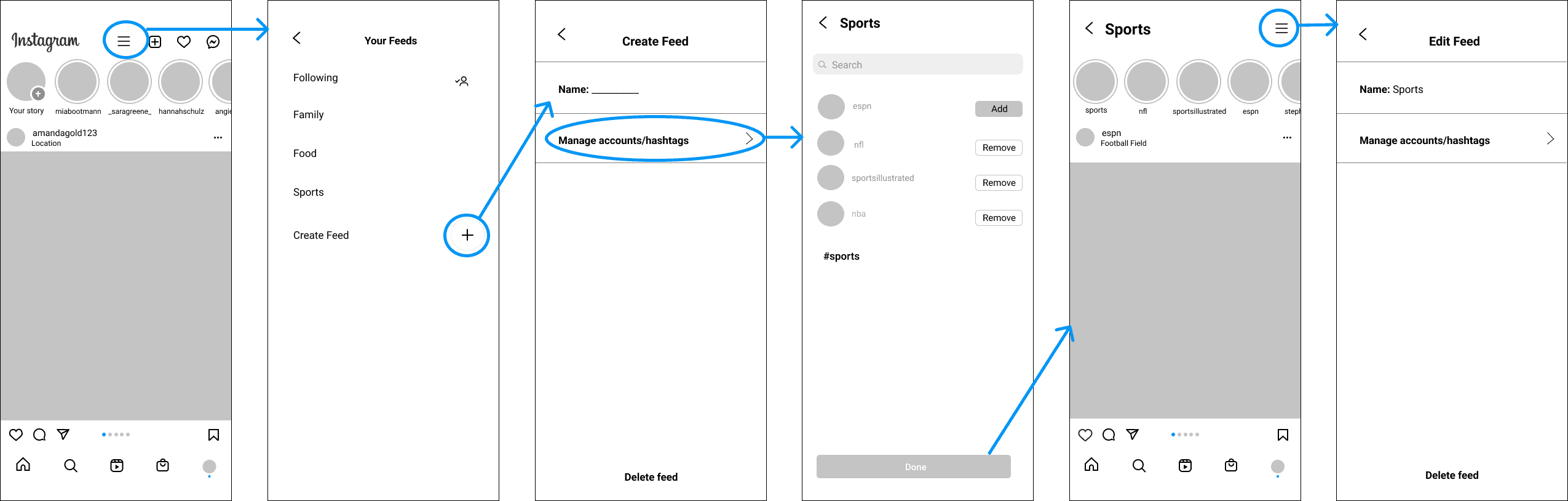
✅ Organized; clear entry point
✅ "Done", "Delete feed", and "Name Feed" buttons better located
❌ More steps needed; many new screens
❌ Not as intuitive; new button on home screen
A bump in the road — that validated the hypothesis
At this point, Instagram launched a new feature. At first, I was worried it would be too similar to my idea. But taking a step back, I realized this actually validated my hypothesis: people want more choice and control over what they see. My feature would allow users to have even more control.
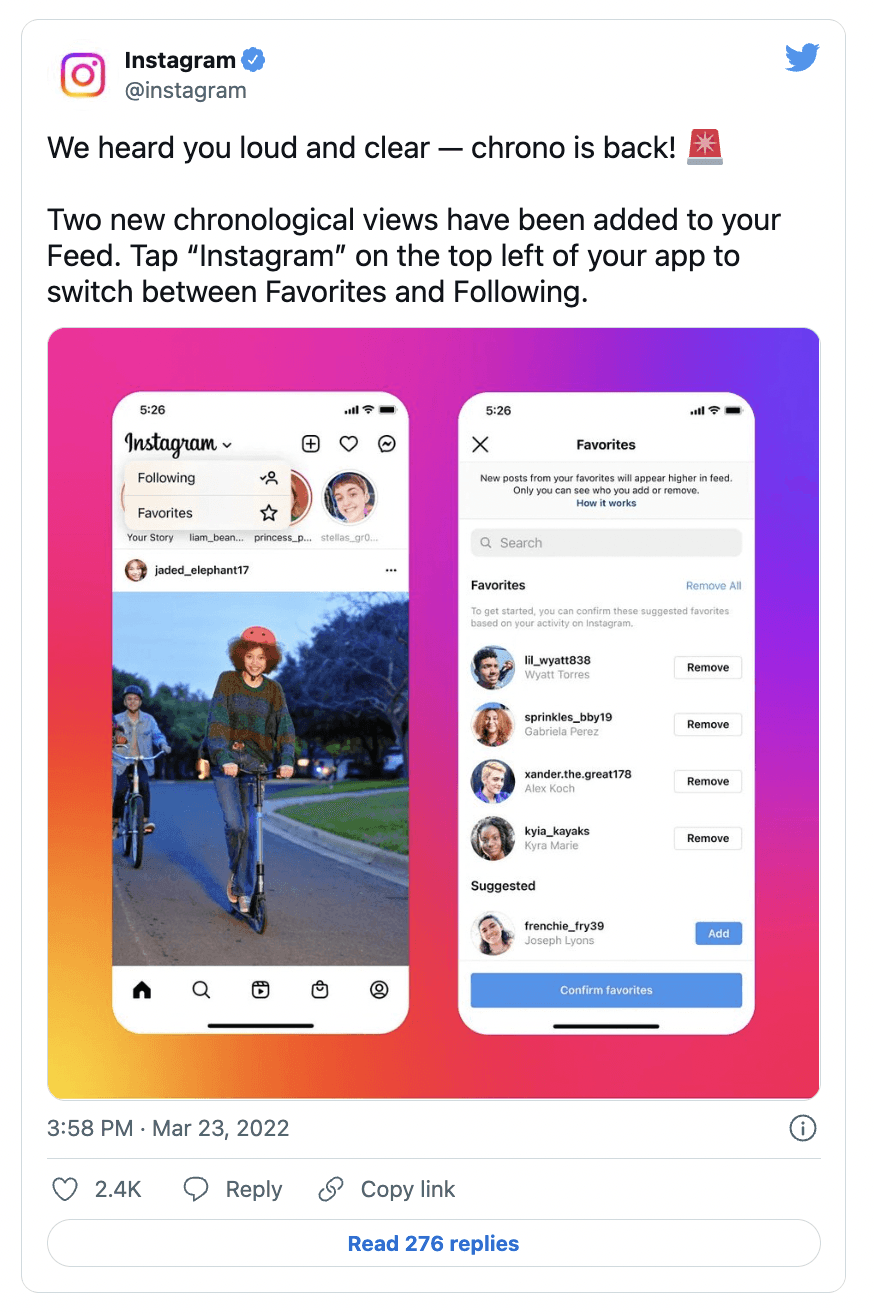
Drop-down Menu → SELECTED
I took inspiration from Instagram's update and created a new mockup. Rather than a pop-up menu or new icon, I built off the new drop-down menu below the Instagram logo to fit into its current design system.
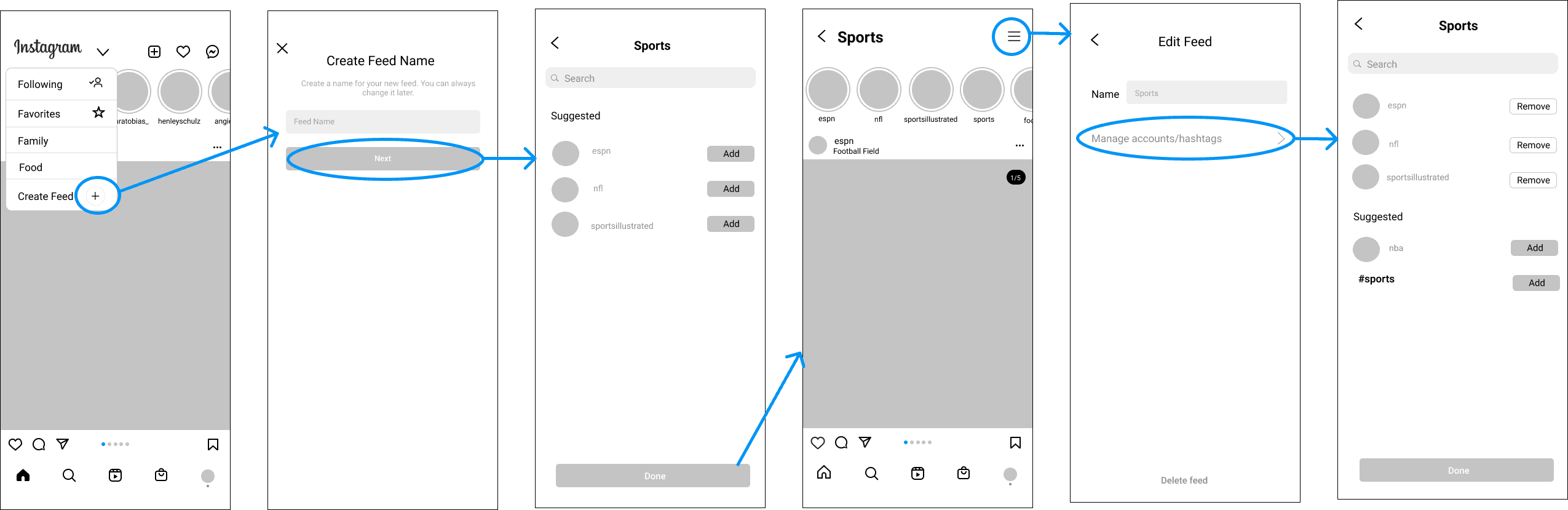
✅ Intuitive; fits into IG's current design system
✅ Buttons are better located
❌ Could feel too similar to current IG layout
User testing & iteration
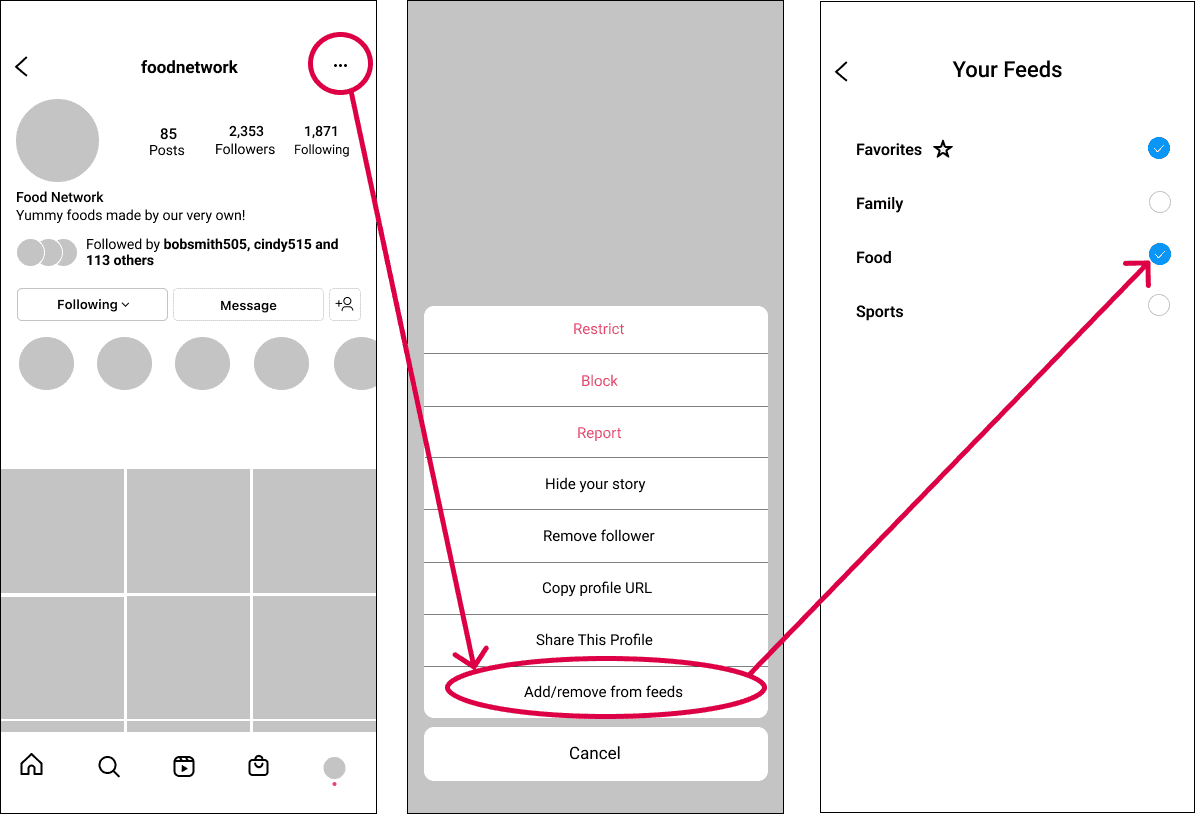
After testing all three explorations on a handful of users, I decided to stick with Exploration C. I then explored additional flows for feed creation, editing, and browsing.
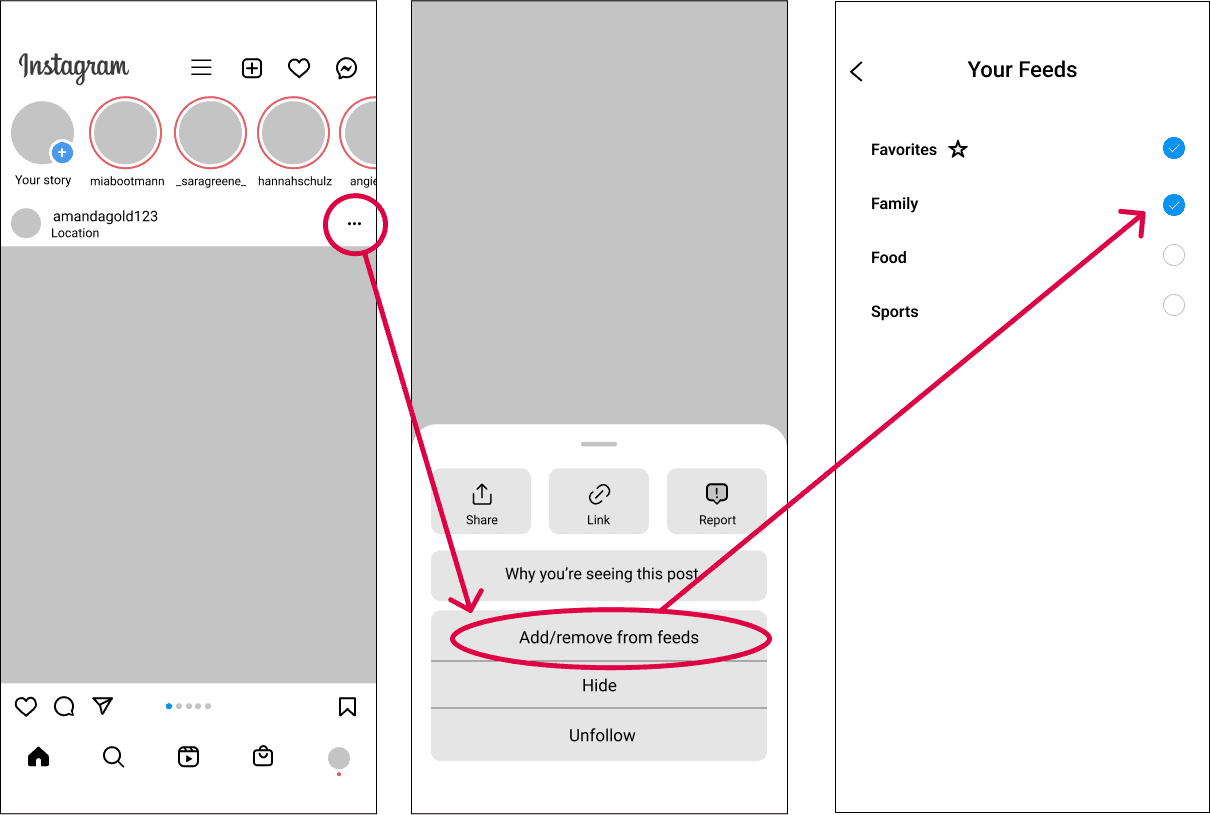
UI Kit

Final solution
The drop-down menu approach gives users full control over customized feed creation while fitting seamlessly into Instagram's existing design system.
Reflection
This was my first full-length UX case study. Through constantly telling friends and family about this project, I realized how passionate I am about product design. One huge takeaway is that design is not a linear process — initially it was intimidating to face constant change and iteration, but I learned to always keep an open mind.
When Instagram launched a competing feature mid-project, I learned to adapt and use real-world validation as fuel rather than a setback.
I'd push further on quantitative validation — user testing confirmed the interaction model, but I'd want engagement metrics to measure whether customized feeds actually change how people spend time on the app.
This is a case study for a project in Intro to Digital Product Design. I am in no way affiliated with Instagram.